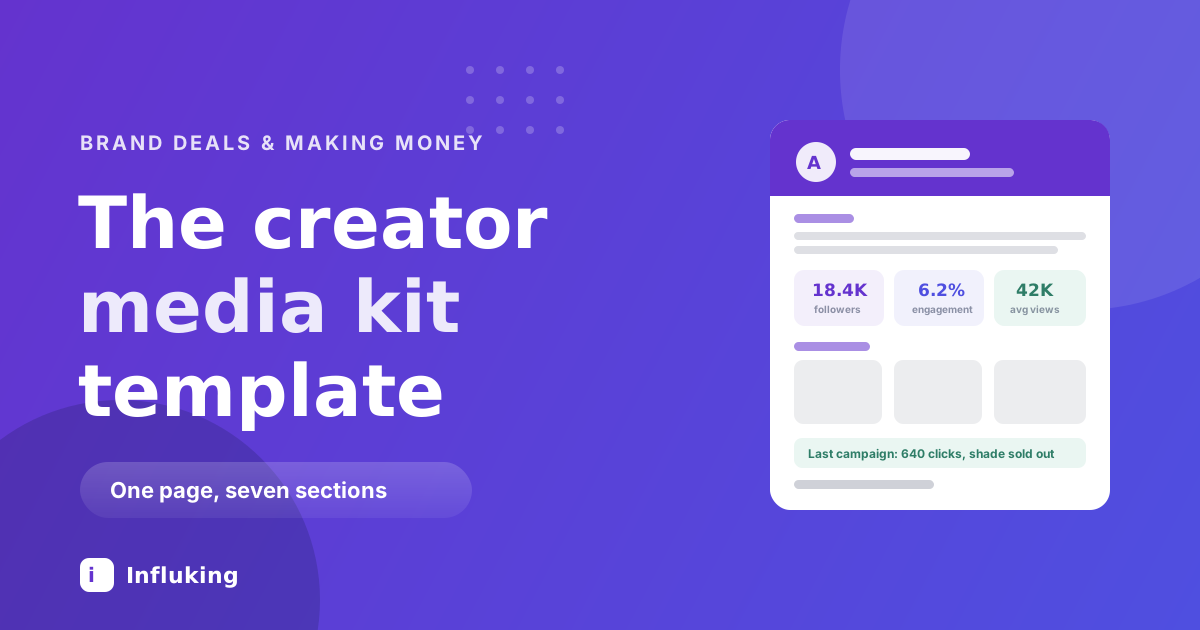
A brand manager with a budget and a deadline is looking at eight creators. They have about ninety seconds for each one. Your media kit either answers their questions in that window or it does not, and the ones that do not go in the maybe pile that nobody reopens.
That is the whole purpose of the document: who you reach, what you make, what it costs, and proof that it works. One page, seven sections. Here is the template.
When you need one
Once you intend to charge. It does not matter whether you have 2,000 followers or 200,000, because the kit is doing the same job either way: turning "I make content" into a business someone can buy from.
It is also the thing that makes you look like a professional rather than a hopeful. A creator who attaches a clean one-page kit reads differently from one who replies "hey I'd love to collab!"
The seven sections
1. Header
Your photo, your name, your handle, and one line naming your niche. That line matters more than anything else on the page, because it is what the brand repeats to their manager. "Budget skincare for oily and acne-prone skin, India" is a positioning statement. "Content creator and dreamer" is not.
2. About
Two or three sentences. Who your audience is, what you make for them, and one thing that makes you the right person for it. Skip the origin story. Nobody is buying your journey, they are buying access to your audience and your ability to make something good.
A workable shape: "I make short-form skincare content for students and first-jobbers in India, focused on products under ₹800. My audience is 78 percent women aged 18 to 27, mostly in metro cities. They come to me for honest reviews of things they can actually afford."
3. Audience numbers
The section brands read first. Include:
- Follower count, per platform if you are on more than one.
- Engagement rate. Average likes plus comments divided by followers, times 100. Anything above about 3 percent is solid, and small accounts often run much higher.
- Average Reel views over your last ten Reels. This is increasingly the number brands care most about, since it reflects real reach rather than accumulated followers.
- Average Story views if you pitch Story packages.
- Audience demographics. Age split, gender split, top cities or countries. All of this is in your Instagram Insights under Total followers.
Use real numbers and round them honestly. Anyone can check your engagement in thirty seconds with a free tool, and being caught inflating ends the conversation permanently.
4. What you offer
List your deliverables as products: Reel, carousel, static post, Story set, UGC content for the brand's own channels, event coverage, whatever you actually make. Two or three lines is enough. This tells the brand what they can buy without a discovery call.
5. Past work and results
The section that converts. For each of two or three past collaborations, give the brand name, what you made, and what happened.
"TRU Hair & Skin, one Reel and three Stories. 61,000 views, 640 link clicks, the shade sold out in nine days." That is a case study. "Worked with several beauty brands" is not.
If a brand asked you not to share results, say the deliverable and skip the numbers. If you have no paid work yet, use your own best-performing content as the case study: the Reel that did 40,000 views, the post that brought 300 followers, the tutorial people still send you questions about. Results are results.
6. Rates
Either your prices or a line saying rates are available on request. Both are defensible: listed prices filter out brands with no budget, while "on request" lets you quote per scope. What is not defensible is having no answer prepared, which is what our rate card guide exists to fix.
If you list them, include your package options and note that usage rights and exclusivity are priced separately.
7. Contact
Email, handle, and a link to your best work. Make it impossible to miss. A surprising number of media kits end without a clear way to reply to them.
Writing it when your account is small
Small accounts have real advantages and should say so plainly. Lead with engagement rate rather than follower count when the rate is strong. Name the niche tightly, because specificity is what makes a small audience valuable. Mention the things a big account cannot offer: you reply to every comment, your audience asks you for recommendations, your saves per post are high.
What you should not do is apologise or pad. No "still growing but", no fake-sounding projections. Confident and small beats vague and inflated.
Design and format
- One page. Two only if you genuinely have several detailed case studies.
- Build it in Canva. Free, and the media kit templates there are fine as a starting skeleton. Replace the stock fonts and colours with your own so it looks like your account.
- Use your actual content as the visuals. Three or four screenshots of your best posts do more than any decorative graphic.
- Export as PDF, keep it under about 5MB. Big files bounce off corporate inboxes.
- Name the file properly. "Priya-Sharma-Skincare-Media-Kit-2026.pdf", not "final_v3.pdf".
- Make it readable on a phone. Brand managers open these on the move, so keep the text large enough to read without zooming.
Consistency with the rest of your presence matters here too. The kit should look like it came from the same person as your feed, which is the practical end of personal branding.
PDF, link or both
PDF is the default, because it is what brands expect and it survives being forwarded around a company. A live link, built in Notion or on a simple page, has the advantage of always being current and letting you see it was opened. Send the PDF and put a link in your bio. Both take one afternoon to set up.
Customise it before you send it
Keep a master version, then spend five minutes tailoring it per pitch. Move the most relevant case study to the top. Adjust the About line to speak to their category. If they sell to students, foreground the age split that proves it.
This is the difference between a kit that reads as a mass mailer and one that reads as a proposal. It is also why sending the same untouched PDF to forty brands rarely works, however good the document is.
Keep it current
Update it every quarter, and always before a pitch. Stale numbers are worse than no numbers, because a brand that checks your profile and finds 6,000 more followers than your kit claims will wonder what else is out of date. Put the month and year on it so freshness is visible.
Mistakes that lose the deal
- Inflated numbers. Checkable in seconds, fatal when caught.
- Follower count with no engagement data. Reads as though you are hiding something, because usually someone is.
- No results anywhere. Brands buy outcomes. Give them at least one.
- Five pages of design. Nobody reads page four. The information belongs on page one.
- No contact details or no rates. Both force the brand to do extra work, and there are seven other creators in the folder.
- Sending it before asking about the campaign. Ask what they need first, then send a kit that speaks to it.
What to do this week
Open your Insights, write down your follower count, engagement rate, average Reel views and audience split. Pick your three best pieces of work and find one real number for each. Put them into a one-page Canva layout using the seven sections above. That is a working media kit in an afternoon.
Then use it: our guide to landing your first paid brand collaboration covers the pitch it goes with, and Influking matches creators with brands running campaigns, so the brief and the payment run through one place instead of your inbox.