Show someone a beautifully shot video with echoey, distant audio and they leave in three seconds. Show them a slightly out of focus video with a clear, close voice and they will watch the whole thing. This is consistent across every platform and it surprises creators every time, because most of the money and effort goes into the picture.
Audio is the cheapest retention upgrade available. Here is how to get it right.
Why bad audio loses people faster than bad video
Listening to unclear speech takes effort. The brain works harder to fill in what it missed, and after a few seconds of that work with no payoff, the easiest thing to do is scroll. Nobody consciously thinks "the reverb is bad". They just leave.
Since watch time and completion are the strongest signals feeding your reach, that early exit costs you distribution as well as the viewer. The mechanics of that are in our post on how the Instagram algorithm works.
The paradox: most people start muted
A large share of viewers meet your video with the sound off, which sounds like an argument for ignoring audio entirely. It is the opposite. Your job is to earn the unmute.
That means the visuals and captions have to work silently, and the audio has to be worth turning on: a voice worth hearing, a sound that pays off the visual, a track that matches the energy. Design for muted, reward the unmute. Captions are the bridge, and our Reel editing guide covers those in detail.
The first second, in sound
Whatever plays in the opening moment sets expectations. Silence, a half-second of room tone, or you clearing your throat all read as "nothing is happening here".
Start on the sound that matters: the first word of the hook, the sizzle, the snip of scissors, the beat drop. Cut the dead air before it ruthlessly. If you use music, have it already playing at full presence rather than fading in over two seconds, because a fade is two seconds of nothing while someone decides whether to stay.
Recording a clean voice
Three variables decide voice quality, and only one of them costs money.
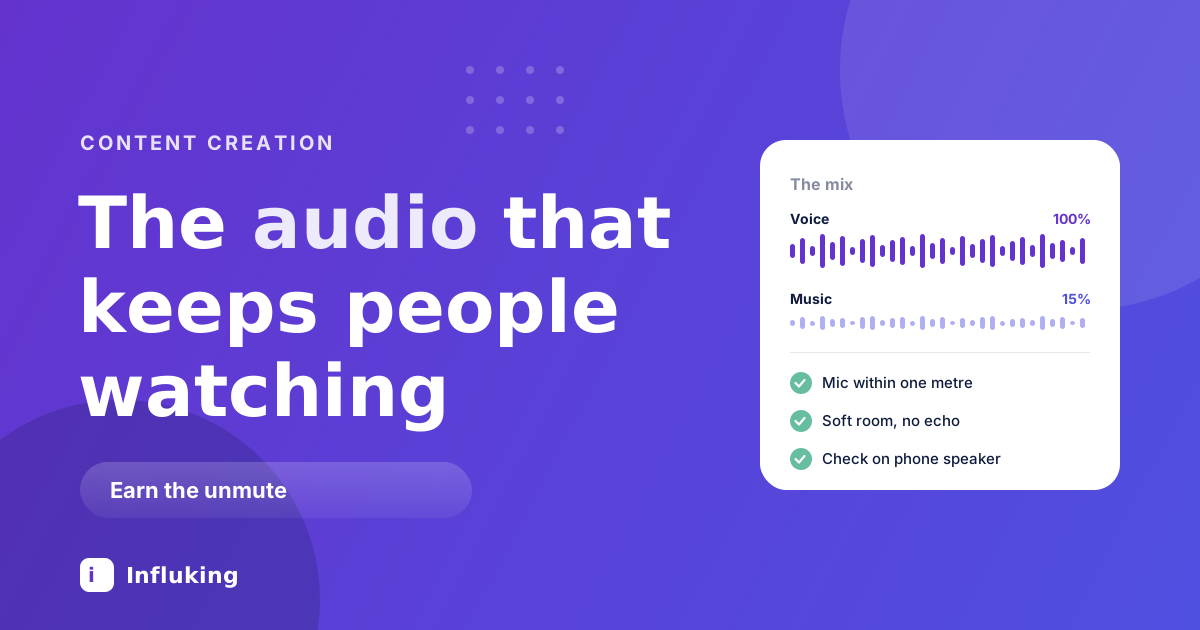
Distance. The single biggest factor. A phone microphone at arm's length sounds distant and roomy. The same microphone at 30cm sounds fine. Halving the distance roughly doubles the amount of your voice relative to the room, so get closer before you buy anything.
The room. Hard walls, tiles and empty spaces bounce sound and create echo, which is the one problem you cannot fix afterwards. Record in a room with soft things in it: curtains, a bed, a sofa, clothes. A wardrobe is genuinely one of the best recording booths most people own.
The microphone. In rough order of value for money:
- Your phone, held close. Free, and better than a distant expensive mic.
- Wired earphones with an inline mic. Often already in a drawer. Clipped near your collar, they beat the phone mic across a room.
- A wired lavalier for a phone, commonly a few hundred to about ₹1,500. The biggest single jump in quality most creators will make.
- A wireless lav system, from around ₹3,000 upwards for entry-level sets. Worth it once you move around while filming.
- A USB mic if you record voiceovers at a desk rather than on location.
Position a clip-on mic about a hand's width below the chin, slightly off to one side so breath does not hit it directly, and hide the cable under clothing. Test by recording ten seconds and listening on earphones before you shoot the whole thing.
Delivery matters more than gear
A clean recording of a flat, meandering delivery still loses people. Things that keep a voice listenable:
- Speak slightly faster and with more energy than feels natural. Recorded speech always sounds flatter than it felt.
- Cut the breaths and the pauses in the edit. This is the closest thing to a magic trick in short-form. The same script becomes noticeably tighter.
- Kill the filler. Every "um", "so basically", "you know". They add seconds and subtract authority.
- Vary the pace. Slow down on the important line, speed up through the setup. Monotone pacing reads as monotone content.
- Stand up if you can. It genuinely changes the energy in your voice.
Music, mixed properly
Music sets energy and covers small edits. It also ruins more videos than it saves, because people mix it far too loud.
- Under a voice, keep music at roughly 10 to 20 percent of the voice level. If you have to concentrate to hear the words, it is too loud, and you will not notice on laptop speakers.
- Duck it under speech. Most editors do this automatically. If yours does not, lower the music manually while someone is talking and lift it in the gaps.
- Pick tracks with a clear beat if you plan to cut to it, and something without vocals whenever you are speaking. Two sets of words at once is the fastest way to lose a listener.
- Match the energy to the content. Upbeat music under a serious story feels wrong even when viewers cannot articulate why.
- Sometimes use none. A talking head with good delivery often works better dry. Music is not compulsory.
Sound effects and silence
A few well-placed effects do a lot: a soft whoosh on a transition, a click when text appears, the real sound of the thing you are showing. Use them sparingly. Stacked whooshes and boings read as a template.
Silence is underrated. A brief gap before the important line makes people lean in, and it is free. Removing all silence makes a video feel breathless, which is a different problem from being slow.
Real sound recorded on location, the sizzle, the traffic, the keyboard, is worth more than any library effect. Keep a little of it under your voiceover so the scene feels real rather than sterile.
Trending audio, used well
Trending tracks can help a video travel, but only when the edit respects them. If you cut on the beat, the whole piece feels intentional. If you paste a trending sound over an unrelated rhythm, it sits on top of the video doing nothing.
Two practical notes. Add the trending sound inside Instagram where possible, since audio added in a third-party app may not register as that track. And business accounts have access to a smaller commercial music library, so a greyed-out track is a licensing limit rather than a bug.
A mixing checklist before you export
- Listen on phone speakers. That is where most people will hear it, and it flatters nothing.
- Listen on earphones too, which reveals hiss, hum and clipping that speakers hide.
- Check the loudest moment does not distort. Clipping sounds like crackle and cannot be undone.
- Check the quietest line is still clear at moderate volume.
- Keep levels consistent across your videos, so viewers are not adjusting volume every time you appear.
- Watch it once muted. If it makes no sense silent, the captions need work.
Fixing common problems
- Echo. Not fixable in the edit. Re-record in a softer room, closer to the mic.
- Wind. Use a foam windscreen on the mic, or shelter behind something. Wind noise destroys a take completely.
- Background hum from a fan or AC. Turn it off while recording. Noise reduction tools help a little and make voices sound underwater when pushed.
- Plosives, the popping on P and B sounds. Angle the mic slightly off to the side of your mouth.
- Voice too quiet in the final upload. Normalise the audio in your editor so the voice sits at a consistent, healthy level rather than exporting whatever the camera captured.
Mistakes worth breaking today
- Filming across a room with the phone mic. The most common audio problem there is.
- Music at the same level as the voice. The second most common.
- Fading in from silence. Two wasted seconds at the exact moment you can least afford them.
- Recording in the bathroom or an empty room because it is quiet. Quiet and echoey are different things.
- Never listening back before publishing. Thirty seconds of checking saves a post.
If you do one thing after reading this, halve the distance between your mouth and the microphone. It costs nothing, it works immediately, and it fixes more than any purchase would. After that, cut the breaths, drop the music to a fifth of the voice, and check the mix on a phone speaker.
Clean audio and a tight edit are what make content look professional before you own any professional gear. Our lighting guide covers the other half of that, and Influking matches creators with brands once the work looks and sounds the part.