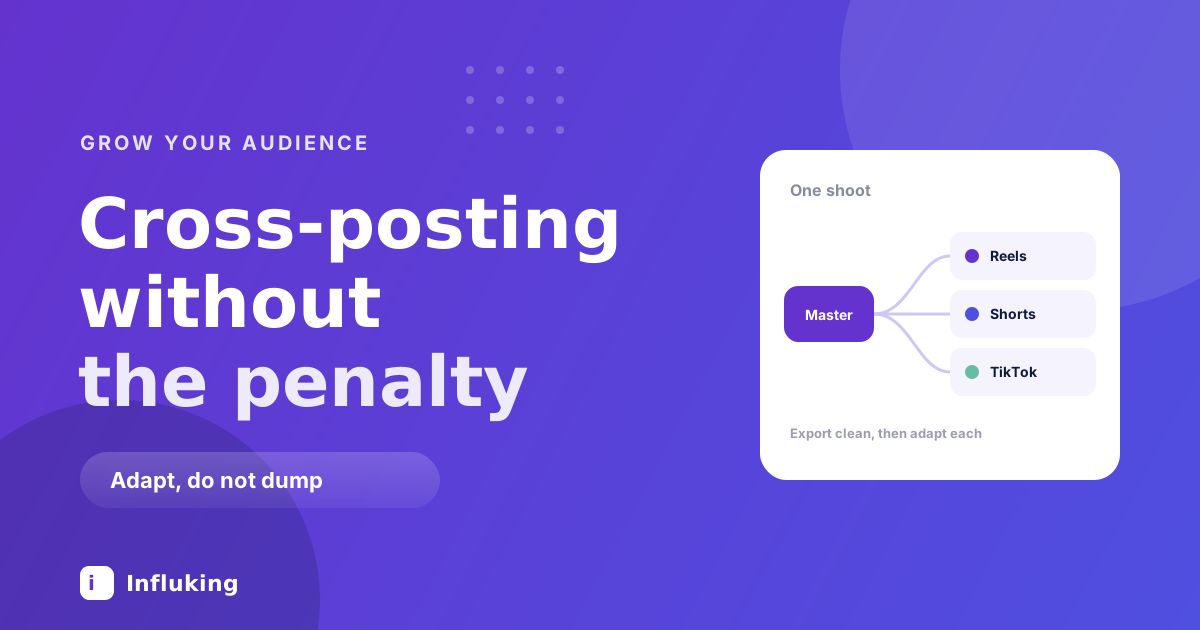
Filming is the expensive part. Once a video exists, putting it on three more platforms is mostly export settings and twenty minutes, which is the best return available to anyone making short video.
The reason cross-posting has a bad reputation is that most people do it by downloading from one app and uploading to the next. That version does not work, and it is worth understanding exactly why before setting up the version that does.
The watermark rule
Exporting from TikTok with the logo burnt in, then uploading that file to Instagram, gets the video down-ranked for recommendation. Instagram has said this openly. The same applies in reverse and across most platforms, and it is about the visible watermark rather than the fact that you posted elsewhere first.
Cross-posting itself is fine. Nobody is penalised for reusing their own content. The penalty is for uploading a file that visibly advertises a competitor, and it is one of the more common self-inflicted causes of a reach collapse, covered alongside the others in mistakes that kill reach.
The fix is to never treat a published post as your master file.
Keep a clean master
Edit once, export one clean version at the highest quality your editor allows, and save it before it touches any platform. Everything else is a copy of that file.
Export at 1080 by 1920, vertical, at the highest bitrate available. Every platform compresses on upload, so giving them a heavily compressed file to compress again is where the mushy footage comes from. The Reel editing guide covers the export settings in detail.
Keep captions burnt in if you add them yourself, since auto-generated captions do not travel between apps. Just place them away from the edges, because each platform overlays its own interface in different places.
The safe zones problem
This is the detail that separates a cross-post that looks native from one that looks lazy.
Each app puts its own buttons, captions and handles over the video, in different positions. Text sitting comfortably in the lower third on Instagram can end up behind the TikTok caption or under the YouTube Shorts title.
Keep anything that matters inside the middle of the frame, roughly the central 60 percent vertically. If you have text near the bottom, check it on each platform before you publish, once, and then you will know your own safe zone for good.
What to change per platform
- Instagram Reels. Your keyword caption matters most here, since Instagram search reads it. Cover frame matters because it sits in your grid permanently. Three to five specific hashtags.
- YouTube Shorts. The title is doing the work of the hook, so write it as a search phrase. Shorts behaves more like search than feed, and old Shorts keep getting served for months, which makes it worth the extra minute.
- TikTok. The on-screen text in the first frame is the hook, and the caption is short. Trending audio matters more here than anywhere else.
- Facebook Reels. Nearly free, since Instagram can push it for you. Skews older, so the content that travels is not always the same content.
- Pinterest. Only worth it for evergreen how-to content, where a pin can drive traffic a year later. Wasted on anything topical.
- LinkedIn. Only if your niche is professional. Native video does well there and the competition is thin, but the tone needs rewriting rather than copying.
The caption is the part people skip. Each platform has a different audience expectation and a different search system, so pasting one caption everywhere leaves the search value on the table. The caption guide covers writing the first line properly.
What not to cross-post
- Anything referencing the platform. "Follow for more Reels" on TikTok reads as a mistake, because it is one.
- Content tied to a platform-only trend. A format that only makes sense inside one app's culture lands flat outside it.
- Anything using a licensed audio track. Music libraries differ, and a track cleared on one platform can get the video muted or blocked on another. Use your own audio or a track you know travels.
- Community posts. Replies to your own comments, in-jokes and audience-specific content have no meaning to a new audience.
- Anything you have not watched back. Aspect ratio changes and interface overlays produce genuinely broken posts, and nobody tells you.
A workflow that survives a busy week
- Film four videos in one session.
- Edit and export four clean masters at 1080 by 1920, captions burnt in and kept away from the edges.
- Write one core caption per video, then adapt it: keyword-led for Instagram, search-phrase title for Shorts, short and punchy for TikTok.
- Upload natively to each platform rather than using an auto-share toggle, so each gets its own cover, caption and tags.
- Stagger by a day or two if you can be bothered, which lets you use what the first platform tells you about the video to improve the rest.
The whole adaptation layer is about twenty minutes for four videos once the habit exists. Batching is what makes it viable, in the same way it makes the posting cadence viable.
Automatic sharing, and when to use it
Instagram can push Reels to Facebook automatically, and various tools will post everywhere at once. Automation is fine for the platform you care least about and a mistake for the one you care most about.
The reason is that auto-shared posts arrive with the wrong caption, no platform-specific tags, and often a poorly chosen cover frame. On a secondary platform that is a fair trade for zero effort. On your main one it costs more reach than the time it saves.
Measuring it properly
Judge each platform on its own numbers rather than on a total. The same video can do nothing on Instagram and find an audience on Shorts, which is useful information rather than a contradiction.
Give it three months before deciding a platform is not working, since Shorts and Pinterest both surface content long after posting. Then drop the one that is not paying, rather than maintaining four presences out of obligation.
The realistic version of this is one platform you actively grow and one or two that receive adapted copies. Trying to be native everywhere at once is how people end up posting badly in four places instead of well in one.